Why is My Theragun Not Charging Properly?
Many users encounter issues with their Theragun battery charging. Understanding why this happens is crucial for effective device use. Theragun battery charging problems can stem from various factors.
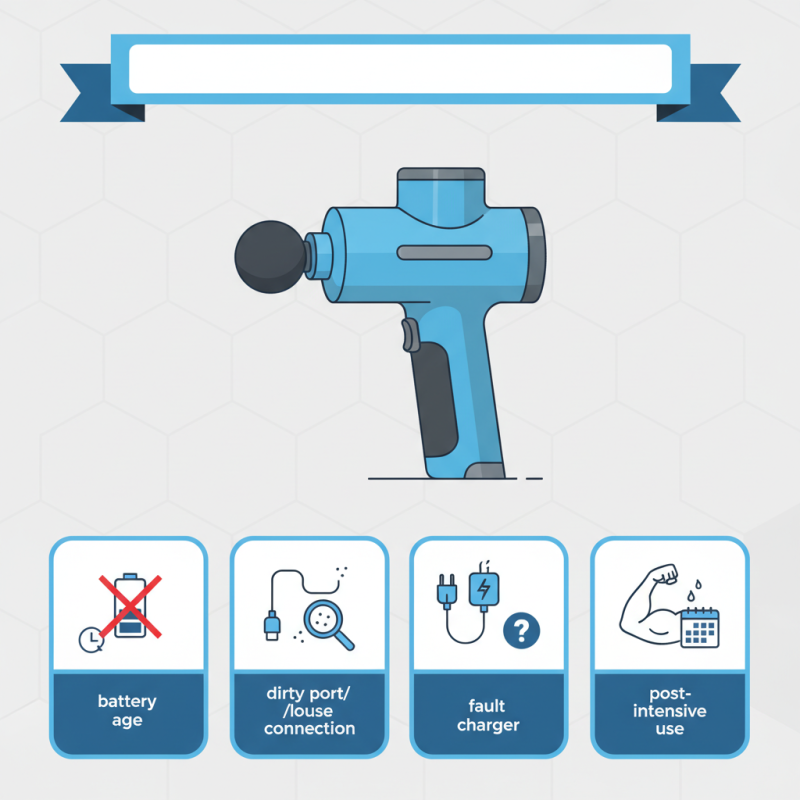
You might notice that your device doesn't charge after a long day of usage. The charger may seem fine, but it doesn’t always mean the connection is solid. Sometimes, dust or debris can hinder effective charging. Inspecting your charging port periodically can be beneficial.
Additionally, battery age can impact charging performance. After extensive use, battery life may naturally decline. This is a point often overlooked. A faulty charger could also be responsible. Trying a different charger may reveal the problem. Thus, addressing Theragun battery charging issues requires careful examination of multiple elements.
Common Reasons for Theragun Charging Issues
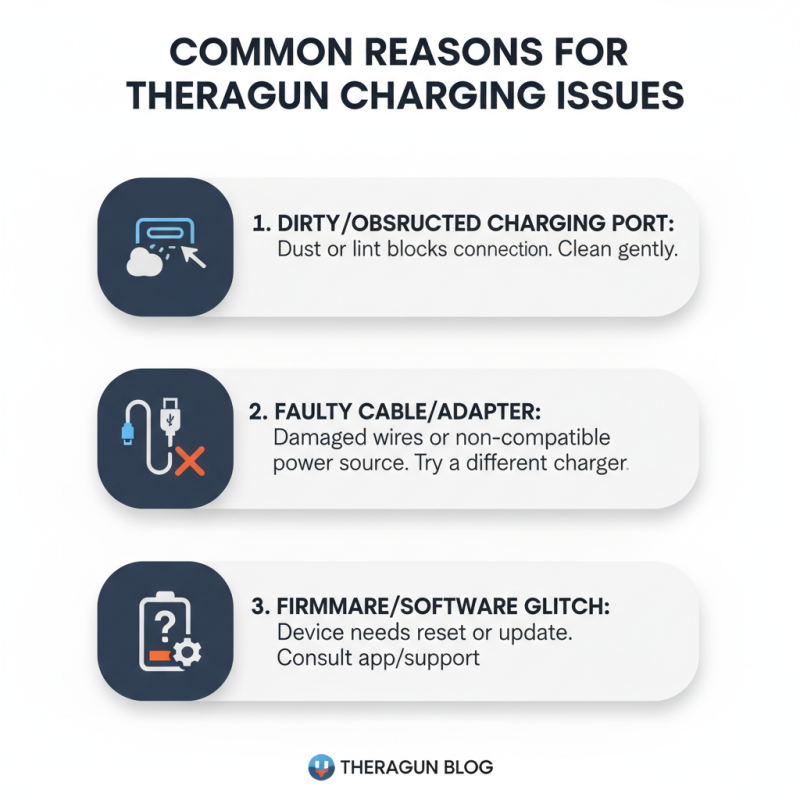
When your device isn’t charging properly, it can be frustrating. There are several common reasons for this issue. First, check the charging port. It might be dirty or obstructed. Dust or lint can interfere with the connection, preventing a proper charge. Cleaning it gently can make a difference.
The charging cable is another culprit. Look for any visible damage. Frayed wires or bent connectors can disrupt the flow of power. If the cable feels loose when plugged in, consider replacing it. Sometimes, using a different outlet helps. Some outlets might not provide enough power.
Temperature can also affect charging. If the device is too hot or cold, it may not charge efficiently. Ensure it is in a moderate environment. Reflect on your charging habits. Leaving the device plugged in for too long can lead to battery issues. Being mindful of these factors can help improve the situation.
Checking the Power Source and Charging Cable
When your device is not charging as expected, it's vital to check the power source first. Ensure the outlet is functioning correctly. Plug another device into the same outlet. If that device works, your outlet is fine. If not, try another outlet. Sometimes, it’s easy to overlook a simple issue.
Next, examine the charging cable. Check for frayed edges or visible damage. A damaged cable might not provide proper power. If available, try a different charging cable. This could help identify if your original cable is the problem. Ensure the connector fits snugly into the device. Sometimes, dust or debris can obstruct the connection. Clean the connection points gently.
Tips: Always keep your charging area clean. Dirt can cause interference. Consider using a surge protector to prevent damage from power fluctuations. Don’t rush the charging cycle; let it do its job. If problems persist, there may be deeper issues to consider. Keeping everything in check can save time and frustration later on.
Inspecting the Theragun Port for Damage or Debris
When your Theragun isn’t charging properly, the issue often lies with the charging port. Inspecting this area is crucial. Dust, lint, or even small debris can accumulate in the port and create a barrier. You might notice a visible blockage if you look closely. A damp cloth or a small brush can help clear any dirt. Just be careful not to damage the port.
Another critical aspect is to check for physical damage. A bent or broken charging pin can prevent proper contact. This can easily happen over time, especially if the device is moved frequently. Holding the device at different angles while charging can sometimes reveal if there's a bad connection. If it feels loose or unstable, it may need professional repair.
Occasionally, the issue may seem trivial, yet it impacts performance significantly. Even minor debris can disrupt the charging process. Reflect on your storage habits. Are you placing the device where it collects dust? Making small adjustments can lead to potential improvements in charging reliability. Regular checks can save time and frustration in the long run.
Charging Issues of Theragun Devices
Understanding Battery Life and Maintenance Tips
Battery life is a common issue for users. Understanding how to maintain the battery can prevent charging problems. Research shows that lithium-ion batteries, commonly used in handheld devices, have a lifespan of around 2-3 years with proper care. Temperature extremes can damage these batteries quickly. Keeping the device in environments between 20-25°C is ideal.
Regular maintenance can enhance battery performance. It’s recommended to charge the device fully before first use. This helps calibrate the battery. Experts suggest unplugging the device once fully charged. Overcharging can significantly reduce battery lifespan. If the device shows signs of slow charging, it may be time for a deep cycle. This involves letting the battery discharge completely before recharging it fully.
Many users overlook cleaning charging ports. Dust or debris can obstruct connections, causing issues. Using a soft cloth or compressed air can help maintain a clear connection. Additionally, consider the age of your battery. If it doesn’t hold a charge, replacement may be necessary. Monitoring your device's performance regularly is vital for longevity.
Why is My Theragun Not Charging Properly? - Understanding Battery Life and Maintenance Tips
| Issue |
Description |
Solution |
Maintenance Tip |
| Slow Charging |
Takes longer than expected to charge. |
Check power outlet and use the original charger. |
Keep connectors clean and avoid using in extreme temperatures. |
| Not Charging at All |
Device doesn't respond when plugged in. |
Try a different outlet or check the charger for damage. |
Regularly check the charger and avoid prolonged idle times. |
| Battery Draining Quickly |
Battery life is shorter than expected during use. |
Limit use of high intensity settings and ensure proper charging. |
Charge fully before storing the device and use it regularly. |
| Charging Light Not Indicating |
Charging light is either off or malfunctioning. |
Inspect cable and outlet; consider a replacement if needed. |
Keep firmware up to date if applicable to ensure battery management. |
When to Seek Professional Repair or Replacement Options
If your device isn't charging properly, it can be frustrating. Before you consider repairs, check a few things. Ensure the charger is plugged in correctly. Sometimes, the simplest issues cause the most trouble. Inspect the charging port for dust or debris. A clean connection is vital for proper charging.
If basic checks don’t work, think about seeking professional help. Signs of a deeper issue include unusual sounds during operation. If the device gets overly hot, it may indicate an internal problem. Malfunctioning batteries can pose risks. Professionals can diagnose and fix these issues accurately.
**Tips:** Regularly clean the device. Dust can accumulate in ports and affect charging. Avoid extreme temperatures, as they can strain the battery. Lastly, don’t hesitate to consult customer support. They often have solutions for common problems. If you've done all this and nothing helps, repair might be your best option.